FedEx API connection
The FedEx API connection integrates FedEx with nShift Delivery. To activate it, register for API credentials using your FedEx account number, then add those credentials to your sender configuration.
Key concepts
Child key — the API user ID issued after FedEx API registration
Child secret — the API password issued after FedEx API registration
Parent credentials — platform-level credentials that FedEx child credentials are linked to; managed by nShift, not required from you
Before you begin
Have your FedEx account number ready.
Register for the FedEx API
Register to receive the child key and child secret needed to configure your FedEx integration.
Steps
Go to the FedEx registration form
Enter your FedEx account number and complete the form
Submit the form
Result
Your child key and child secret are issued after the form is processed.
Note
Make sure the details you enter match your FedEx account. If you have an existing FedEx account, use your existing account number. If you encounter issues during registration, contact FedEx directly.
Add FedEx credentials in Delivery
Add your child credentials to the sender you use for FedEx shipments in nShift Delivery.
Steps
Log in to nShift Delivery
Go to
Select Search to find the sender
Select
 next to the sender
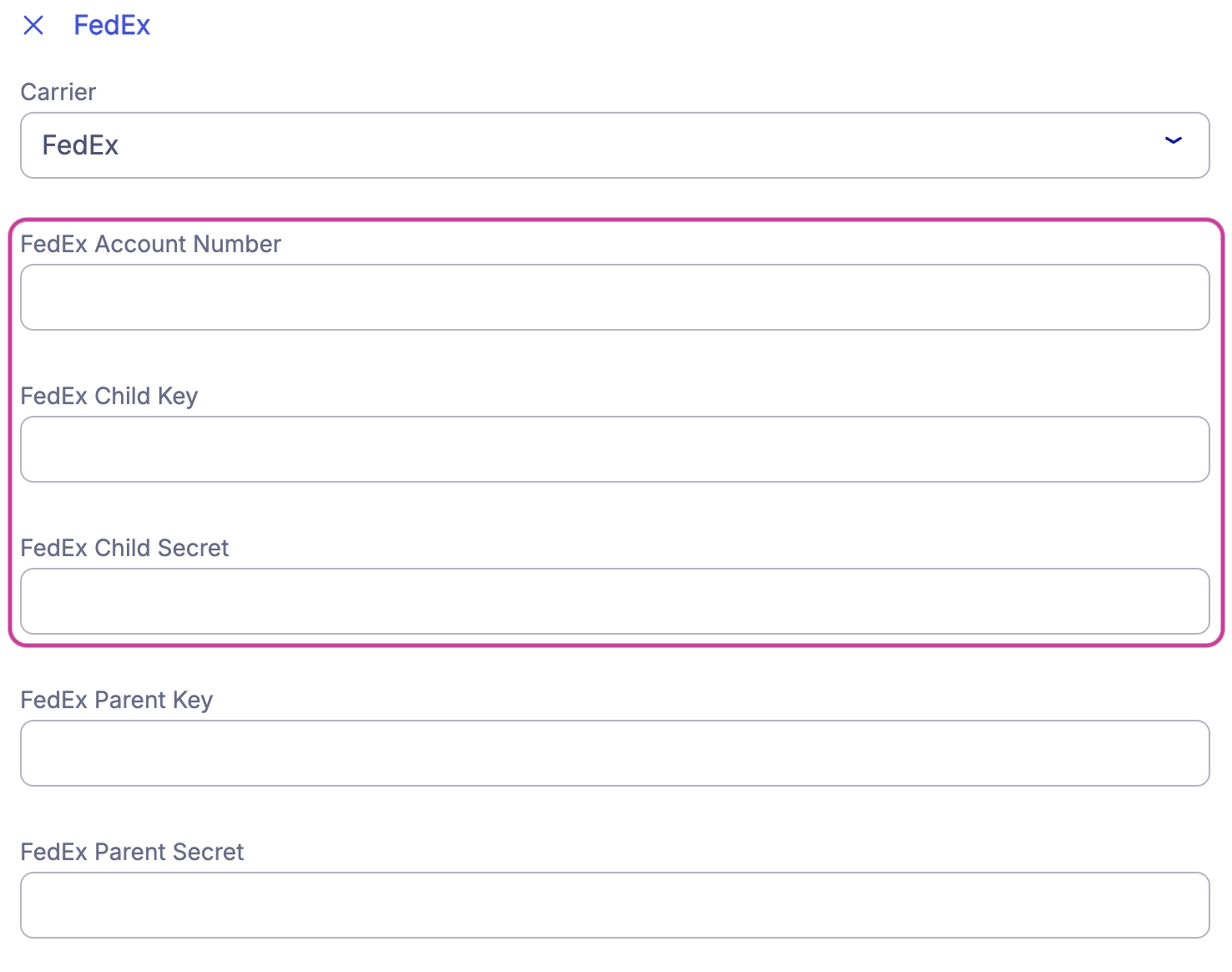
Go to CarriersFedEx
Enter your account number, child key, and child secret
Select
 |
Result
The credentials are saved and the FedEx API connection is active for this sender.
Field descriptions
Field | Description |
|---|---|
Account number | Your FedEx account number |
Child key | API user ID from your FedEx API registration |
Child secret | API password from your FedEx API registration |
Add FedEx credentials through integration
Enter your FedEx credentials in the JSON or XML configuration file for your integration.
Steps
Open your JSON or XML configuration file
Add your account number, child key, and child secret using the format below
Save the file
JSON
"senderPartners": [{
  "custNo": "Account number",
  "ediUserId": "Child key",
  "ediPassword": "Child secret",
  "id": "FEDEXAPI"
}],
XML
<sender sndid="1">
  <partner parid="FEDEXAPI">
    <val n="custno">Account number</val>
    <val n="edipassword">Child secret</val>
    <val n="ediuserid">Child key</val>
  </partner>
</sender>
Note
If you previously used a legacy FedEx integration, update your service IDs to the new FedEx API service IDs. Find the new service IDs in . If you need help with your integration configuration, contact your integration partner.