Shortcuts
The left-side menu contains shortcuts for you or your profile. You can create shortcuts to frequently used pages, as well as to printing and search favorites. These shortcuts will then be available directly from the menu.
About “Direct” shortcuts
Favorites can be added to the menu in two different ways:
Printing favorites (Direct) and Search favorites (Direct) create their own headings in the left-side menu.
The favorites you select will appear directly beneath these headings.
Printing favorites and Search favorites (without Direct) add a single shortcut under Shortcuts.
The individual favorites won’t appear as separate items in the menu.
Use (Direct) if you want immediate access to each favorite from the menu. Use the non-direct versions if you prefer a single shortcut entry.
Additional ways to access favorites
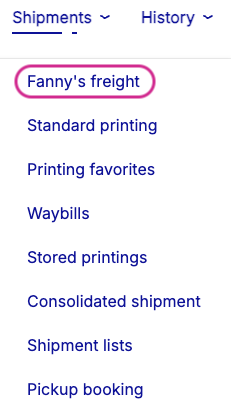
After you’ve created your shortcuts, you can also access your printing and search favorites from the top menu, under and , respectively.
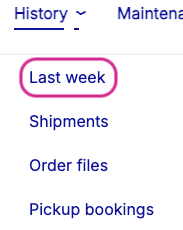 |
Shortcuts - top menu
Create shortcuts
Go to > .
Click .
In the Shortcuts section, select the shortcuts you want to show in the menu.
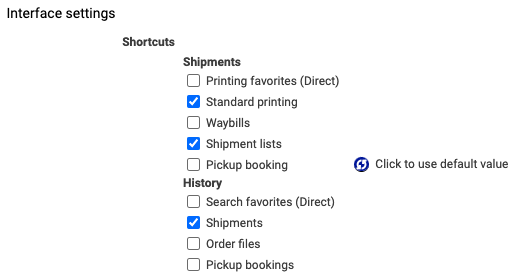
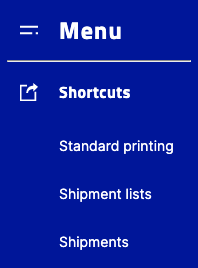
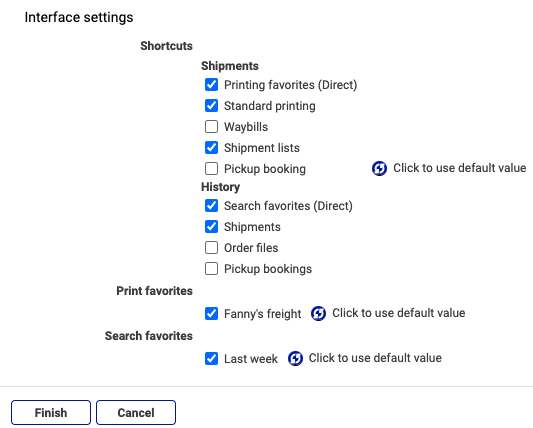
Shortcuts - set-up and result
Click , or continue to selecting printing and/or search favorites.
Show printing favorites under a new menu heading
Go to > .
Click .
Select Printing favorites (Direct). Selecting only individual printing favorites won’t show anything. This option places your printing favorites under a new menu heading.
In the Printing favorites section, select the printing favorites you want to show beneath the new heading.
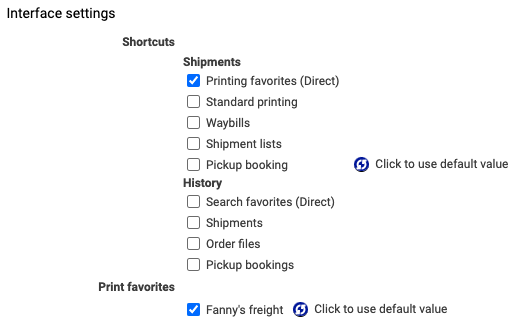
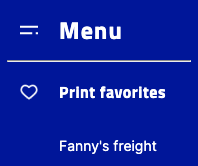
Shortcuts to print favorites - set-up and result
Click .
Show search favorites under a new menu heading
Go to > .
Click .
Select Search favorites (Direct). Selecting only individual search favorites won’t show anything. This option places your search favorites under a new menu heading.
In the Search favorites section, select the search favorites you want to show beneath the new heading.
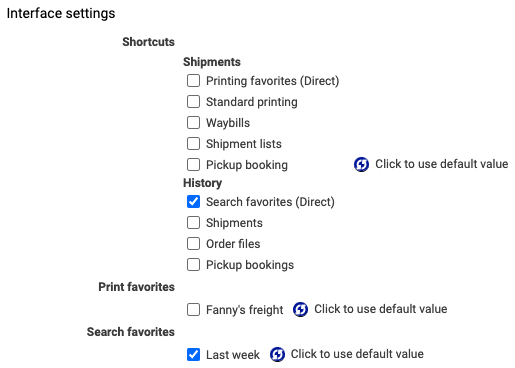
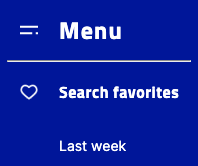
Shortcuts to search favorites - set-up and result
Click .
 |
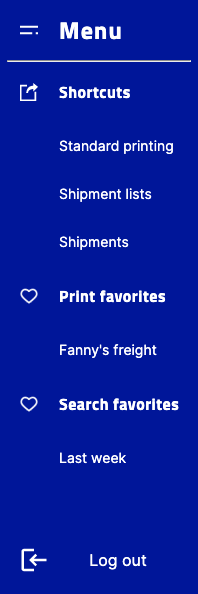 |
All shortcuts - set-up and result